
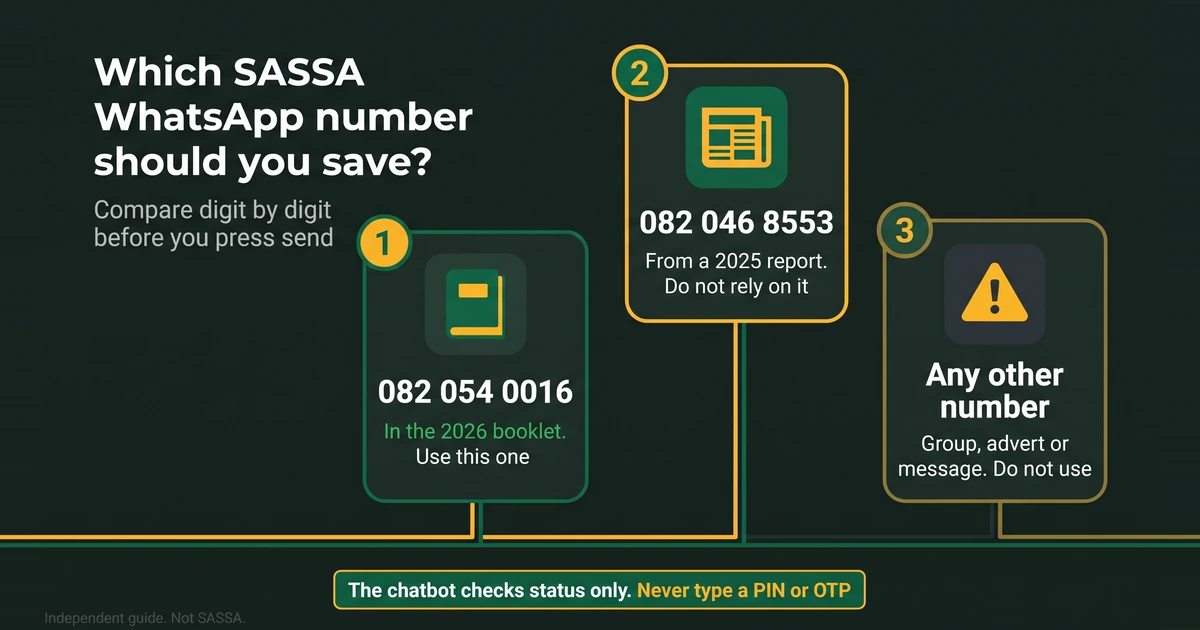
This page is about the number, and about whether you can trust the number you were sent. It does not repeat the chat steps. For those, use our step-by-step guide to checking your SASSA status on WhatsApp. Here we cover which number to save, how to tell a real one from a fake, and what to do when WhatsApp is not an option.
Which SASSA WhatsApp number should you save?
Two numbers have been printed by credible sources, and a lot of other numbers circulate that have no source at all.
| Number | Where it comes from | What we advise |
|---|---|---|
| 082 054 0016 | SASSA’s 2026 “You and Your Grant” booklet, the latest source we have | Use this one |
| 082 046 8553 | An April 2025 SAnews report | Older. We have not confirmed whether it still works, so do not rely on it |
| Any other number | A group, advert, comment, voice note or forwarded message | Treat as unverified and do not use it |
The booklet is SASSA’s own publication, and it is more recent than the news report, so the booklet number is the one we show. SASSA may change its numbers, and a printed booklet cannot change with it. Before you rely on any number, look at sassa.gov.za and at SASSA’s official channels. The booklet lists X as @OfficialSASSA, Instagram as official_sassa, YouTube as @SASSATV and a WhatsApp channel. If two sources disagree, ask the toll-free call centre on 0800 60 10 11 which number is current. It runs on weekday working hours, so confirm the times on sassa.gov.za.
What the WhatsApp chatbot is for
The chatbot is for one job: a status check. You start the chat yourself, send a greeting, ask for “Status”, and give your ID number and the cellphone number on your application when the bot asks. The result tells you whether the application is approved, pending or declined. The bot may tell you that you are in a queue, which is normal, so give it a few minutes before you write again.
We have no verified information that the chatbot can do anything else. Do not use it to apply, to appeal a decline, to change your banking details or to change your phone number. Those jobs belong on the official SRD portal, which sends a PIN to your phone. Our guides explain each one: change your SRD phone number, change your SASSA banking details and appeal a declined month.
Keeping your chat safe and private
A few habits protect you even when the number is right:
- Compare the number digit by digit with the booklet before you press send. A look-alike number that differs by one digit is an easy trick.
- Use your own phone. If you type your ID number on a shared phone, it stays in the chat history for the next person to read.
- Keep your result to yourself. A screenshot of a status card can show your pay day and other details, so do not post it in a group.
- Ignore follow-up messages that arrive after your chat and ask you to “confirm your details” or “verify your account”. A real status check ends when you have read the result.
What a real chat will never need
We have no official quote that says what SASSA will or will not ask for. This is our own safety advice, and it is the safest rule you can follow: a status check never needs a code, and nobody should ever charge you to look at your status.
Fake WhatsApp numbers and how they spread
The anti-fraud picture is simple. Scammers know that thousands of people search for a SASSA contact every day. They post numbers in Facebook comments, WhatsApp groups and voice notes, and they present them as “SASSA agents”, “consultants” or “the grant office”. Some offer faster payment. Some ask you to send a photo of your ID. Some send a link and tell you to type your PIN there. SAnews has named fake SRD application sites, and it urged people not to seek help from strangers.
Run this test before you message any number:
- Is the number in SASSA’s booklet or on sassa.gov.za? If you cannot find it there, treat it as unverified.
- Did somebody message you first? Start the chat yourself instead.
- Does it ask for a PIN, OTP, password, bank details or a payment? Stop.
- Does it promise approval or quicker payment? That is not something a chatbot or an “agent” can sell you.
- Does it send a link? Do not tap it. Type the portal address yourself.
A logo or a smart profile picture proves nothing. If you meet a fake number, block it, use WhatsApp’s own report option and tell SASSA’s anti-fraud line on 0800 701 701. Our official links and scam warning page lists the addresses SASSA treats as official and the two fake ones it has named.
When WhatsApp is not the right tool
WhatsApp needs data or Wi-Fi, and it checks only your status. Use another channel when you have no data, when the bot does not answer, or when your problem is bigger than a status.
| If you need to… | Better option |
|---|---|
| See your result without WhatsApp | The status check on the official portal, or our free status decoder to read the result |
| Talk to a person | The toll-free call centre |
| Send screenshots or write a longer complaint | Email to [email protected] |
| Fix details in person | A SASSA office, with your original ID |
| Use a USSD code | SASSA has not published a code we could confirm, as our USSD guide explains |
Our guide to the ways of checking your SRD status compares the options side by side. GovChat and SMS are not in the channel list of SASSA’s 2026 booklet, so we do not rely on them. Every verified contact, with the date we last checked it, is in our SASSA contact numbers guide.